We’re excited to share the newest features and enhancements available to you! Want to see these in action? Join us for the next Lytho Lowdown LIVE to explore these updates firsthand!
This release brings Lytho closer to where work is already happening. New and expanded integrations connect Lytho with the browsers, project management systems, and AI tools your teams use every day.
Whether you're coordinating work in Asana, working from your browser, or asking Claude for an answer, these updates make it easier to access the content, context, and governance you need without unnecessary switching between tools. We’ve also introduced enhancements across Workflow and DAM to make reviewing, finding, and managing content even easier.
Keep reading to explore what’s new.
Features described in this article are not included in all subscription plans. Interested in expanding your feature set? Contact the Lytho Support Team for further assistance.
Integration Updates
Connect Lytho with Claude
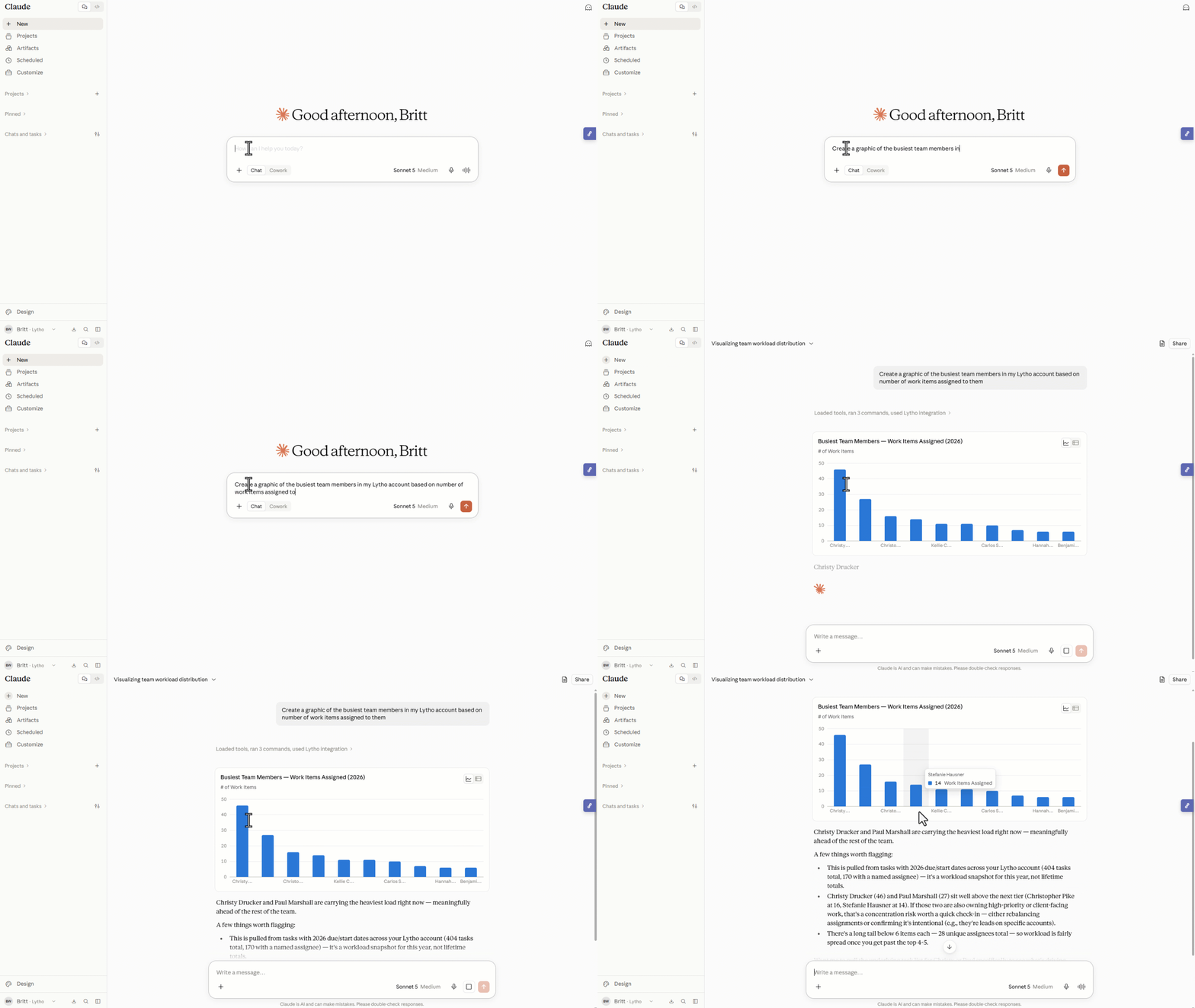
The new Lytho Claude Connector brings your Lytho asset library and Workflow directly into Claude, giving teams a new way to find answers and take action using their Lytho data. Ask about your review queue, find approved assets and versions, check approval states, review project and task details, reference calendar dates or Workflow reports, and link back to Lytho when you need to dig deeper.
But it goes beyond getting answers. You can make changes in Lytho directly from Claude, including updating Workflow items and taking actions across proofs and DAM. With AI Reviewers, teams can ask Claude to check text or images against the brand and compliance standards configured in Lytho, helping governance keep pace with AI-powered content creation.
Meet Lytho in Microsoft Edge
Lytho is now available in Microsoft Edge, bringing the same browser-based experience available in Chrome to teams that work in Edge.
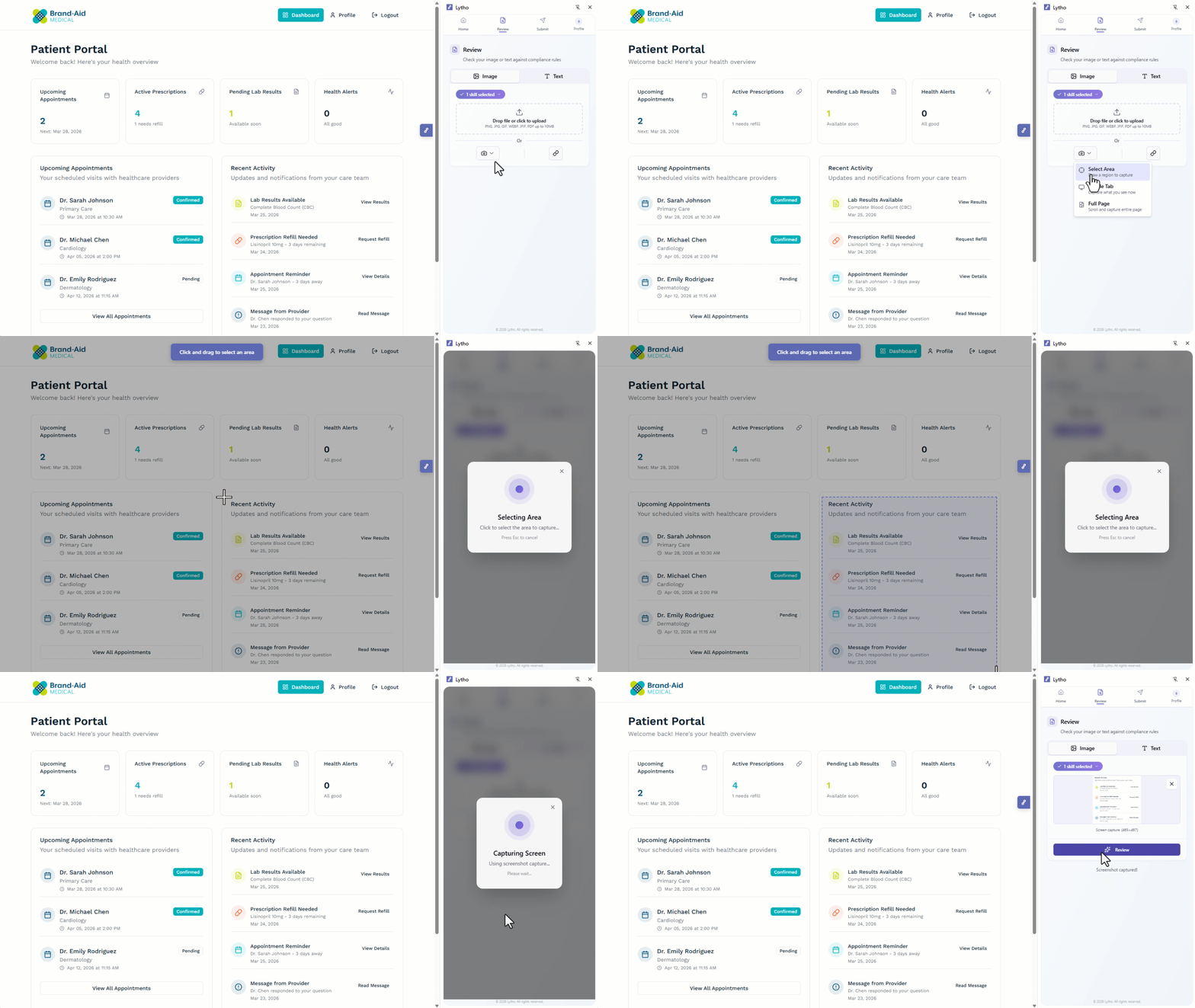
Capture a page, selected area, or file and submit it directly to a Lytho proof without leaving your browser, now available to all Workflow accounts. With AI Reviewers, teams can also check web content, images, and text against their organization’s brand and compliance standards before submitting content for formal review. Existing Lytho permissions are respected throughout the experience.
More Teams Can Now Use Lytho for Chrome
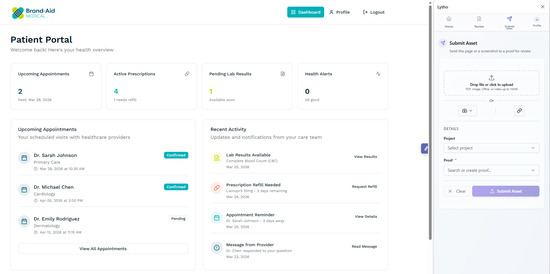
Lytho for Chrome is now available more broadly, giving Workflow users with the appropriate permissions a faster way to capture web content and submit it directly to Lytho for review.
AI Reviewers are no longer required to capture and submit content from your browser. Teams with AI Reviewers can also check web content, images, and text against their organization’s brand and compliance standards before sending it through formal review.
Bring Your Lytho DAM into Asana
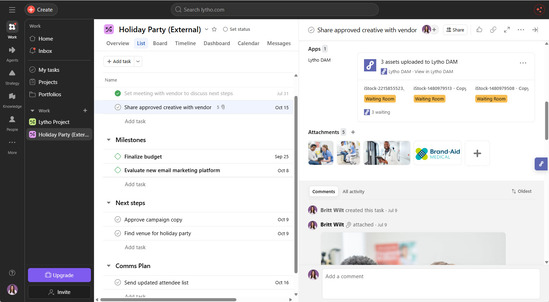
The new Lytho integration for Asana connects the work managed in Asana with the governed assets stored in Lytho.
Attach Lytho assets to an Asana task or send files attached to Asana tasks into the Lytho DAM. This reduces manual downloading and uploading between systems while helping Lytho remain the source of truth for governed content.