
We’re excited to share the newest features and enhancements available to you! Want to see these in action? Join us for the next Lytho Lowdown LIVE to explore these updates firsthand!
This release brings Lytho even closer to where content is created, while helping teams maintain brand consistency and governance along the way.
With an expanded Microsoft Office add-in, teams can more easily access approved content and bring brand and compliance standards into everyday work. We’ve also enhanced video processing in DAM to make uploading and working with video assets a smoother experience.
Together, these updates help teams create with greater speed and confidence without sacrificing control.
Keep reading to explore what’s new.
Features described in this article are not included in all subscription plans. Interested in expanding your feature set? Contact the Lytho Support Team for further assistance.
Integration Updates
Bring More of Lytho into Microsoft Office
The Lytho Office add-in is getting a major upgrade, bringing more of your DAM directly into Microsoft PowerPoint, Word, and Excel. Search for approved assets using AI Search, browse collections, filter your library, upload assets, access the Waiting Room, and manage asset versions without leaving your file.
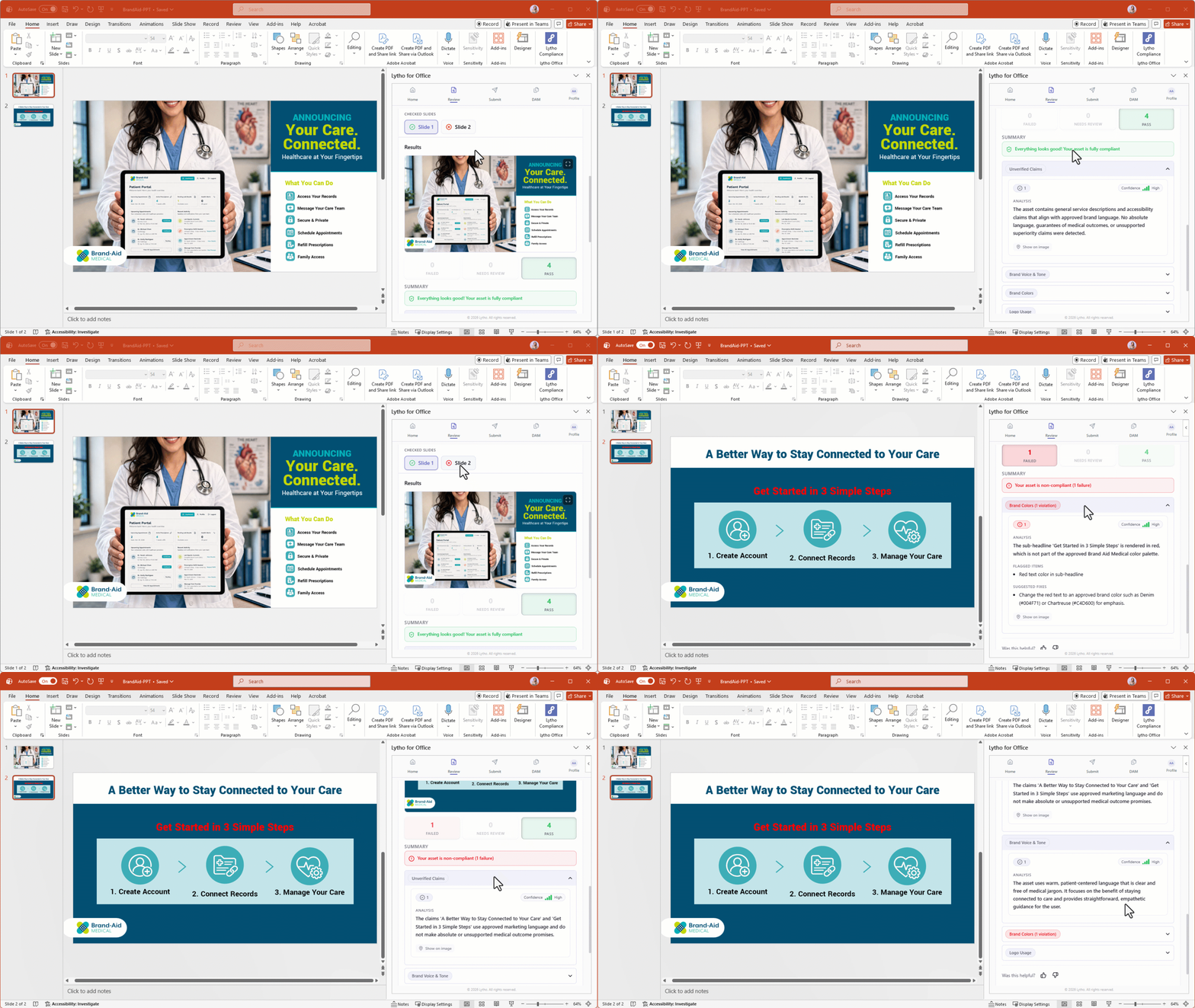
PowerPoint takes it even further. All Workflow users with the appropriate permissions can submit a presentation or individual slide directly to Lytho as a proof. Teams with AI Reviewers can also check slides against their organization’s brand and compliance standards before submitting them for formal review.
Already using the Lytho Office add-in? There is nothing new to install. The expanded functionality is delivered through the existing add-in.
DAM Updates