
TABLE OF CONTENTS
Editing Forms
You have the ability to edit any form with the blue "editable" badge, as it was created using the Form Template Builder tool. Editing a form will move that form into your Draft section and will not be visible to your Requesters until the form has been published.
To edit a form, navigate to your Form Templates screen. Click the action menu next to the form you want to edit and select Edit.
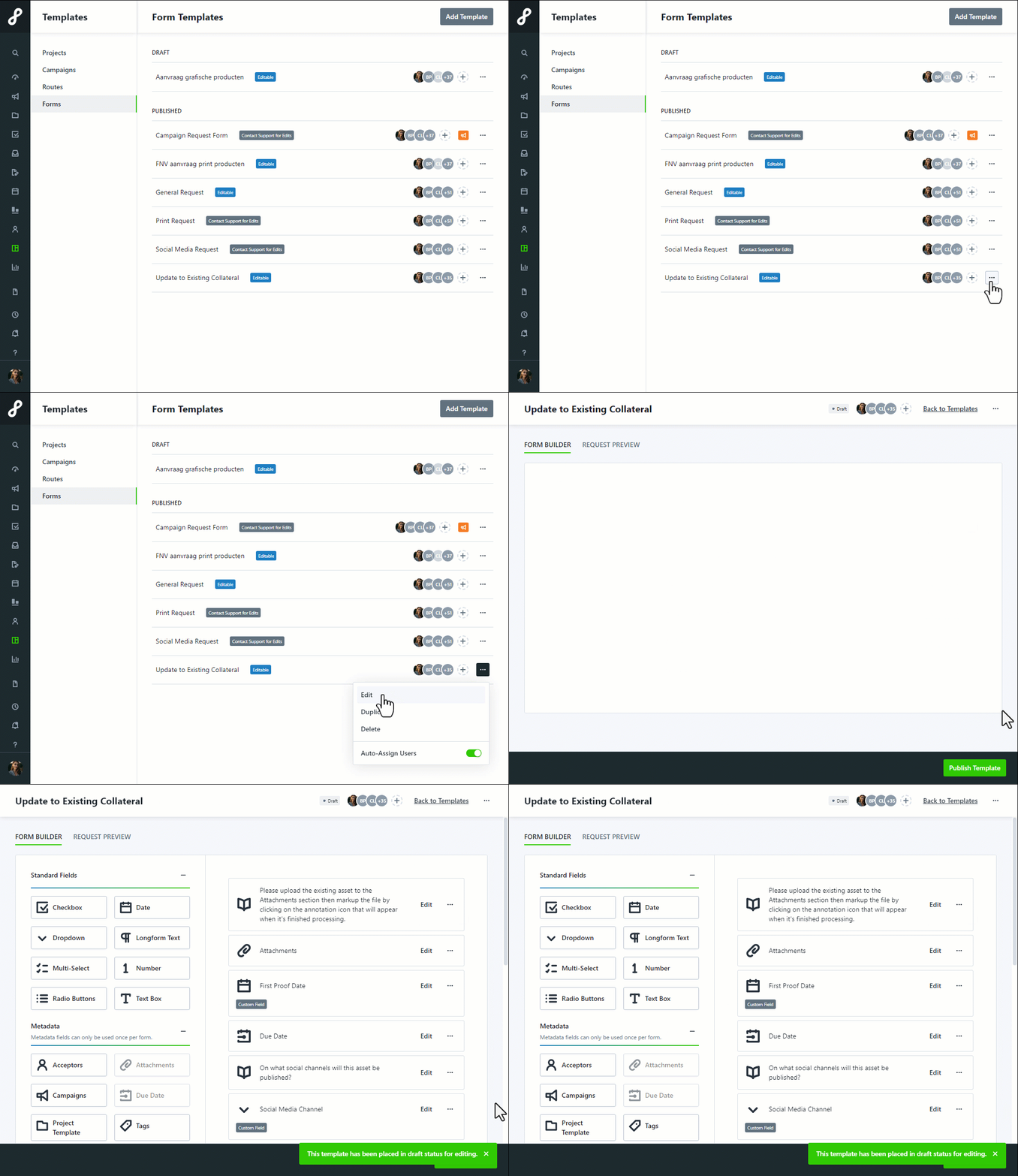
You will be brought to your form editing screen.
Duplicating a Form Template
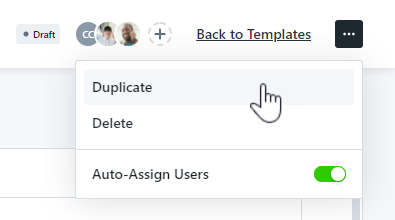
Forms can be duplicated to cut down on repetitive work when creating forms with similar functionality. To duplicate a form, navigate to the form you need to copy and click the action menu in the top right-hand corner. Click Duplicate.
You will be prompted to re-name the duplicated template and click Duplicate Template.
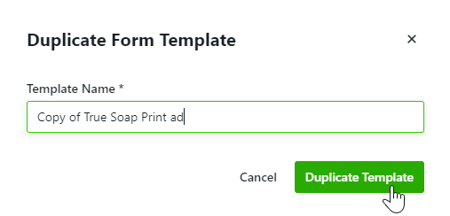
The new template will be in the draft section of your form template list view and can be edited to fit your needs.
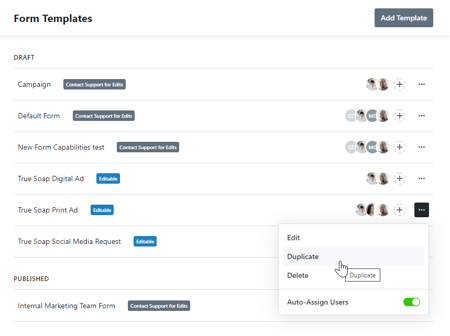
You also have the option to duplicate a form template from your list view by clicking the action menu and selecting Duplicate.
Managing Legacy Forms
While forms built by our Support Team cannot be edited, there are areas you have the ability to manage and view.
From the Form Templates view you have the ability to delete your form and manage the Auto-Assign Users toggle.
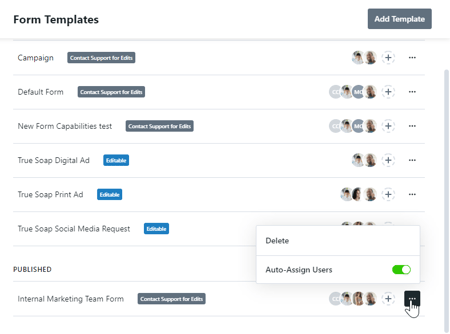
When clicking inside of a form you are able to view the Request preview and can manage your Requesters by clicking the plus icon next to the avatars.
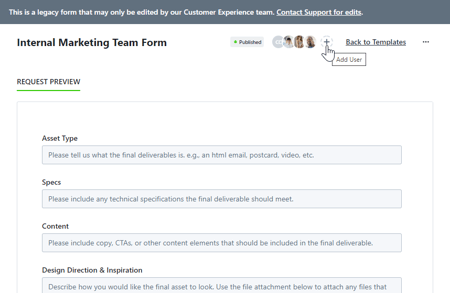
You also have the ability to delete your form and manage the Auto-Assign Users toggle by selecting the action menu in the top right corner.