TABLE OF CONTENTS
• Deleting Multiple Work Items
Deleting Single Work Items
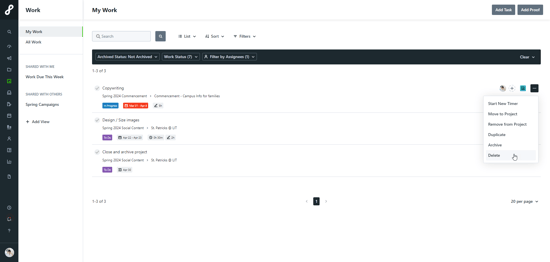
No matter what you are deleting in Lytho Workflow, the process will be the same. To permanently delete an item, navigate to the appropriate list view and click the options icon to the right-hand side of the slat and select Delete.

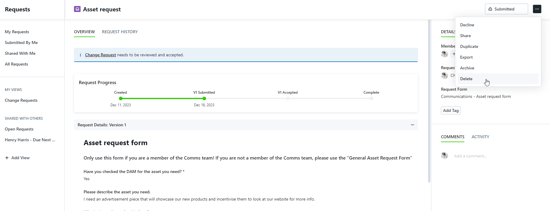
Alternatively, if you are already in the work item, you can select the Options (...) from the top right corner and select the Delete button. Just like in the list, you will be asked to confirm your selection.
Deleting Multiple Work Items
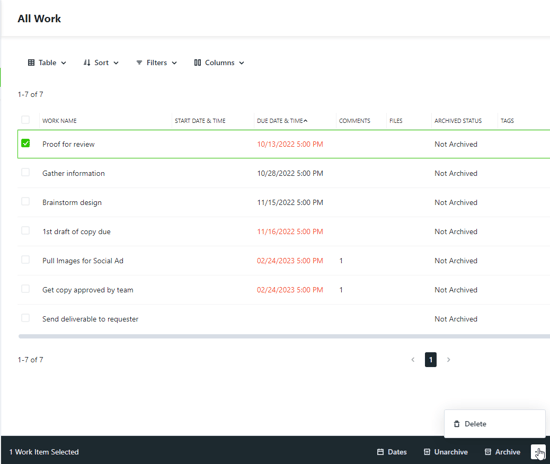
Starting from the Table View within a Project or a work custom view, click the box to the left of each appropriate work item to select and have an activity bar appear at the bottom of your screen. Select Archive, Unarchive, or Delete to affect all selected items at once. You will be asked to confirm your choice after you've clicked your action.
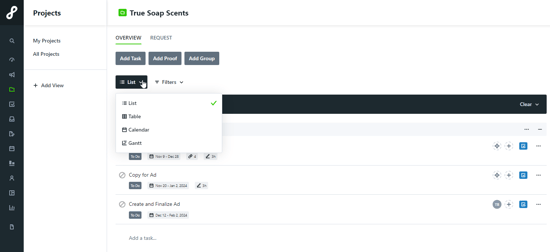
(Accessing the Table View from within a project)