
For teams using Workflow’s time tracking feature, the Time Report shows how much time users logged against tasks and proofs, allowing you to understand where your team’s efforts are being spent. Include request information and custom field data for additional insights into how creative bandwidth has been consumed across the organization.
Features described in this article are not included in all subscription plans. Interested in expanding your feature set? Contact the Lytho Support Team for further assistance.
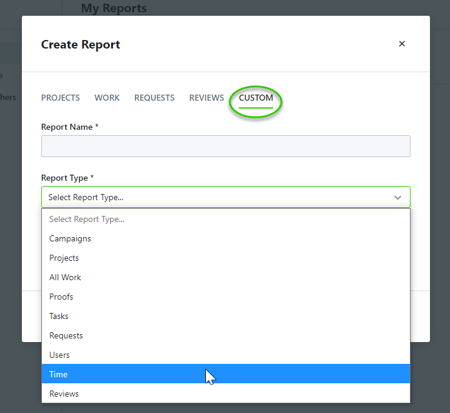
To create a Time report, select CUSTOM and choose Time under Report Type.
Available Columns & Filters
Available Columns
Available Filters
Archived Status
✔
✔
Associated Work Type
✔
Campaign ID
✔
Campaign Name
✔ (Selected By Default)
✔
Category
✔ (Selected By Default)
✔
Custom Fields
✔
✔
Date
✔
Date Worked
✔ (Selected By Default)
Members
✔
Notes
✔ (Selected By Default)
Project ID
✔
Project Name
✔ (Selected By Default)
✔
Request ID
✔
Request Name
✔
Request Number
✔
Request Status
✔
Request Type
✔
✔
Requester Name
✔
✔
Task ID
✔
Total Time Tracked
✔ (Selected By Default)
Work Name
✔ (Selected By Default)