
The review and approval stage is often the biggest bottleneck in a creative project. With the Reviews Report in Lytho Workflow, you can get detailed information about your reviews, allowing you to streamline your review and approval process by identifying the source of delays or bottlenecks. The report also provides data to confirm your team is meeting SLAs and has the necessary audit trail of approvals, answering the eternal question: Who submitted which approval and when did they submit it?
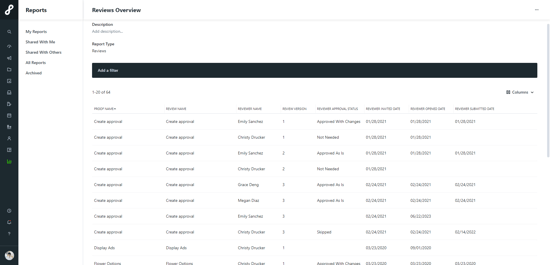
Available Columns & Filters
Duration Definitions
Reviewer Duration: The total amount of time starting when a review is sent to the reviewer and ending when the reviewer submits their approval status. Any proofs currently in review are not included until they return. This is most helpful for closed projects/ work. The Reviewer Duration value is rounded to minutes or hours or days, depending on how much time was logged. For example, if a review lasted an hour and one minute, the duration will display "an hour."