TABLE OF CONTENTS
• Share Associated Work Members
Requester Insights
Want to avoid one-off status updates? Allow requesters to view a dashboard that provides even greater transparency.
To enable Requester Insights, navigate to Account Settings > Features and select the toggle next to Requester Insights.

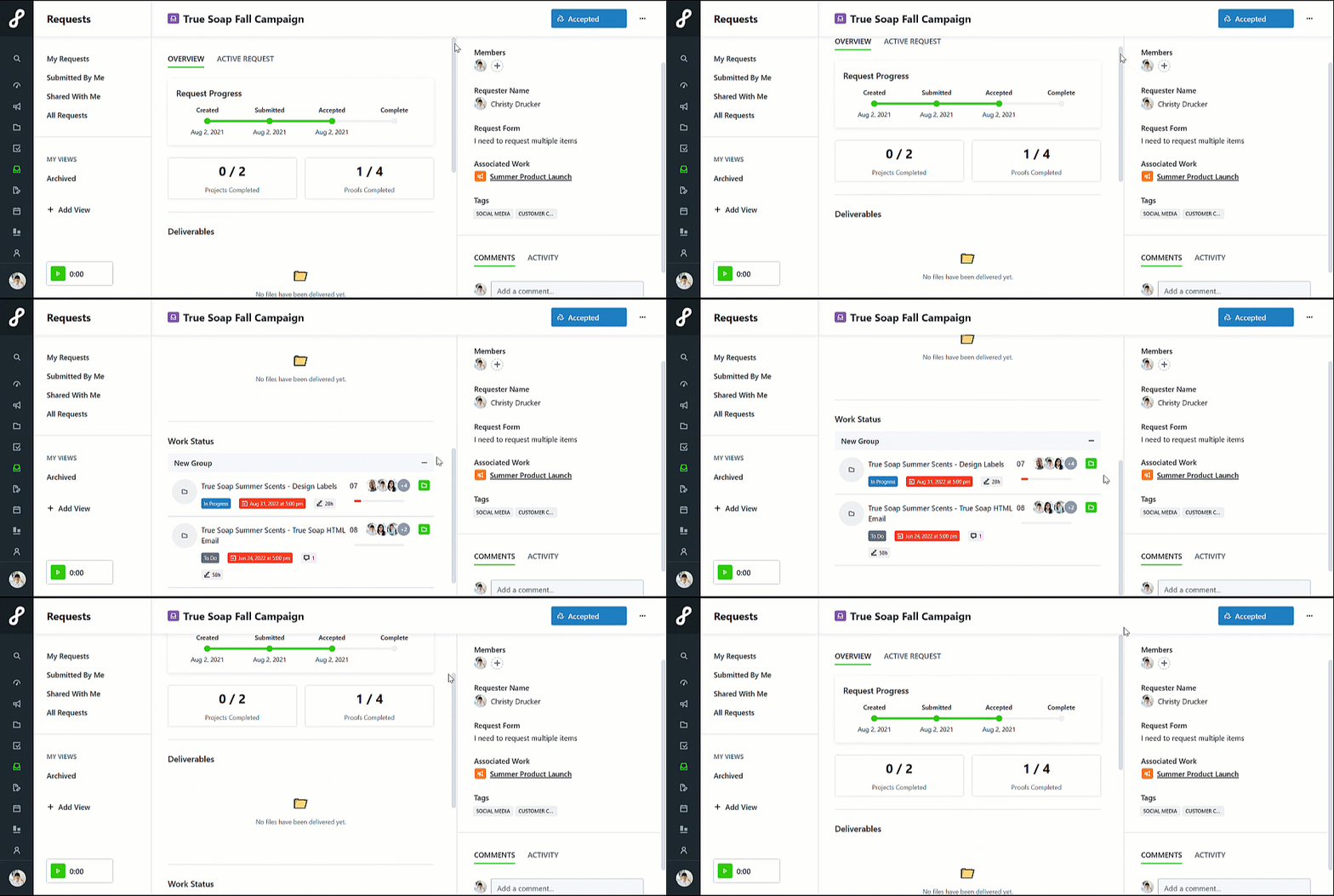
Once enabled, requesters have a read-only view of associated work, including:
• Names
• Statuses
• Project progression
• Project assignees (optional)
• Start dates
• Due dates
• Tags
• Level of Effort (LOE)
• Number of file attachments
Share Associated Work Members
Provide your requesters with even more transparency by allowing them to view team members assigned to work items.
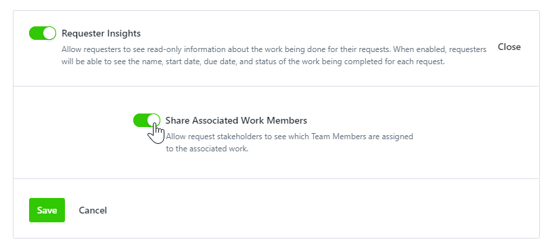
Once Requester Insights have been enabled, select Edit to the right of the feature in feature settings.

Toggle on Share Associated Work Members and select Save.
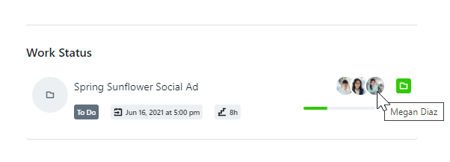
Requesters will be able to view Team Member avatars in the read-only view and hovering over the avatar will reveal the Team Member's name.
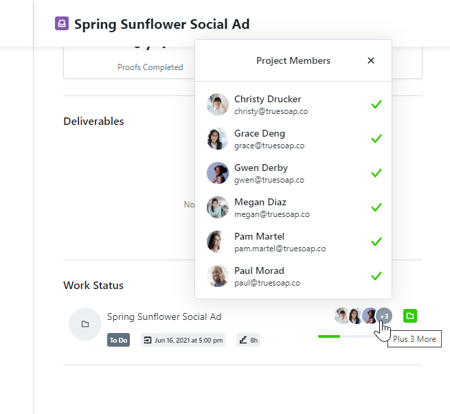
Depending on the number of Team Members assigned to a project, requesters can select icons to view additional Team Members.