New Features
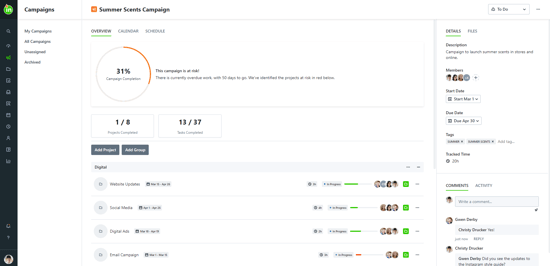
Campaign Management
Bring related projects together in a single view to allow marketing teams to more effectively manage complex, multichannel initiatives without sacrificing seamless collaboration with their creative partners. Check with your Customer Success Manager to set up your forms to better support campaigns!
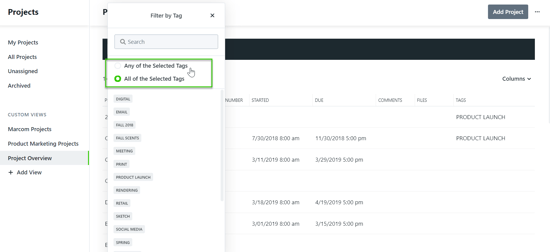
ANY/ALL Logic on Tag Filters
In reports and custom views, Team Members now have even more flexibility in how they filter and view work. Choose whether tag filters display results that match “Any” or “All” of the selected criteria to easily find the items you need.
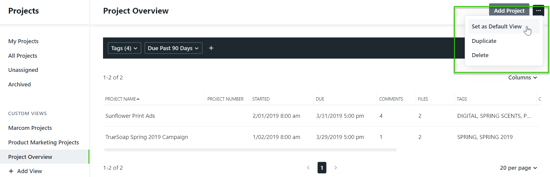
Default Custom Views
Need to immediately see your active digital projects? Or overdue team work for a specific brand? With default views, you can now land on the custom view of your choice to take action even faster.
LOE & Time Tracking Analysis
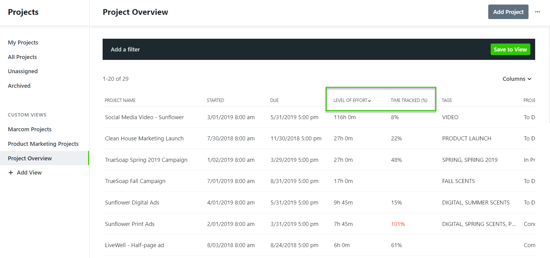
Keep track of how much time is being spent on a project in Project and Request custom views and reports with the new percentage of time tracked and aggregate LOE fields.
Improvements
• Added Archived filter in custom saved views 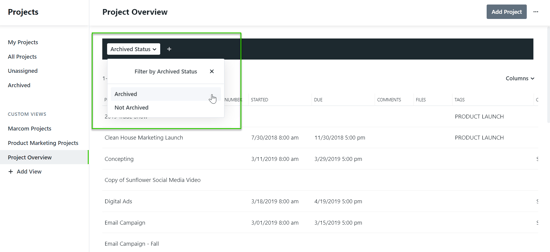
• Request terminology updated from “Approve” to “Accept”
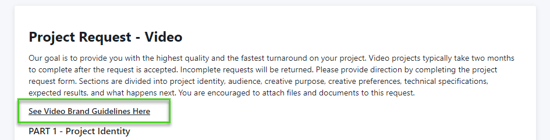
• Request forms may now include hyperlinks
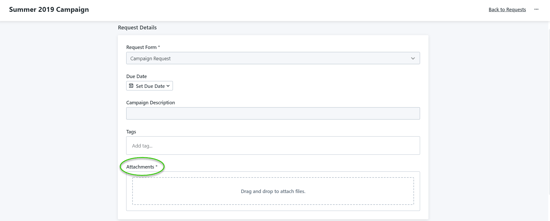
• Attachments can now be required in a request form