
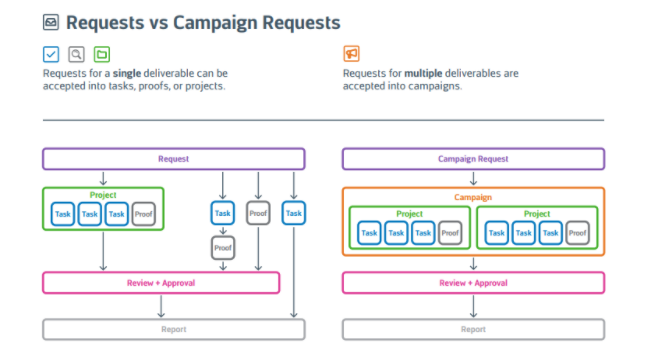
Campaigns are comprised of multiple projects to create multiple deliverables. Campaign requests are submitted through campaign forms that allow the requester to request multiple deliverables within one request. Use the visual below to understand the difference between a regular request and a Campaign request.
Features described in this article are not included in all subscription plans. Interested in expanding your feature set? Contact the Lytho Support Team for further assistance.
TABLE OF CONTENTS
• Submitting a Campaign Request
• Removing a Deliverable from your Request
• Video: Understanding Campaigns From Request To Creation
Submitting a Campaign Request
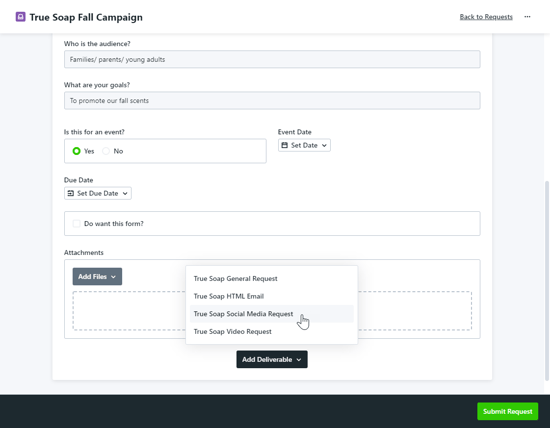
Campaign request forms will look similar to regular request forms with one large difference - the Add Deliverable button. The initial form will apply to the campaign. Select Add Deliverable at the bottom of the initial form and choose from the available forms to start adding your deliverables.
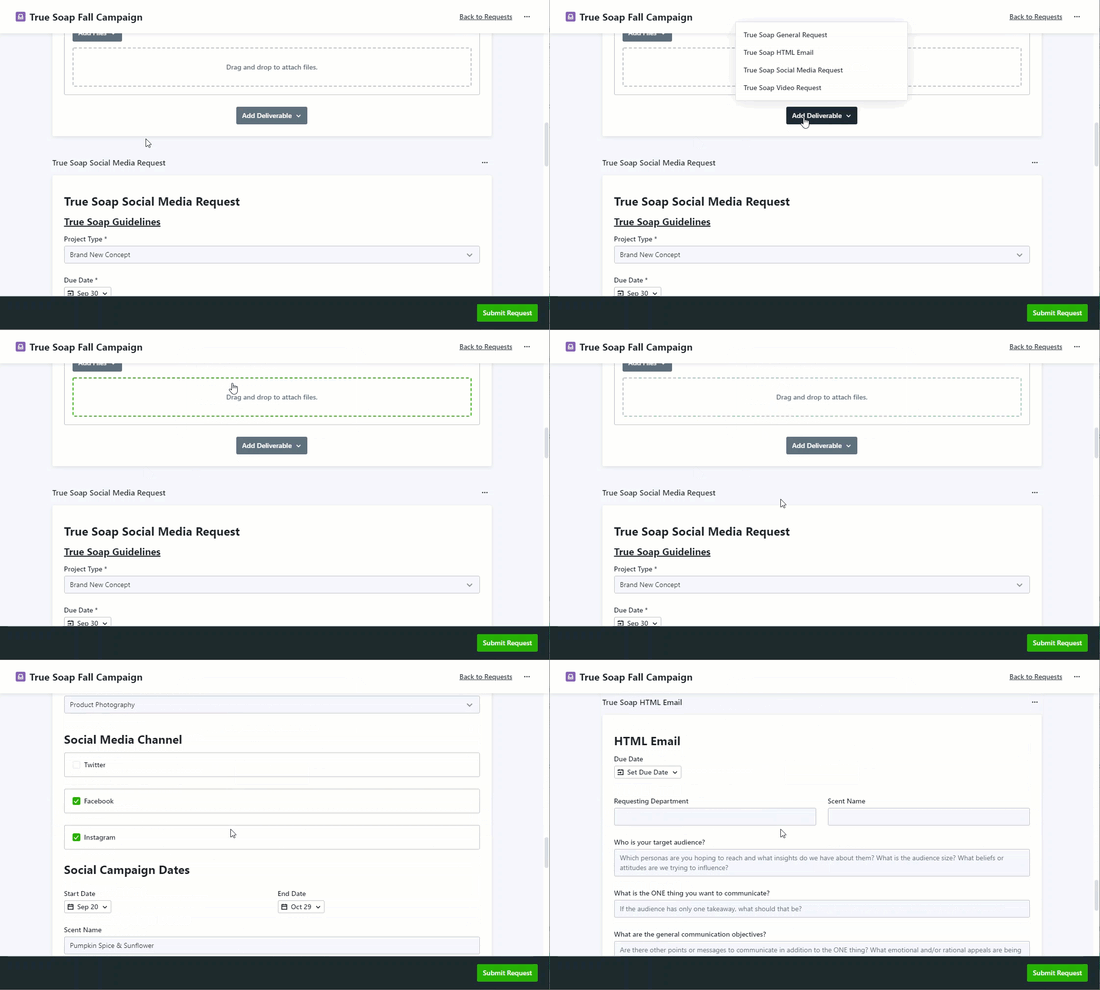
To add another deliverable, scroll back up to the initial form and select Add Deliverable to choose an additional form. The new form will be available at the bottom of your page.
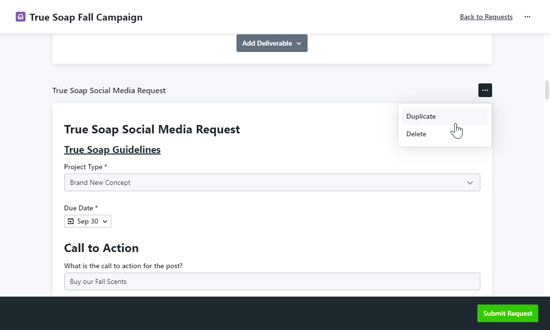
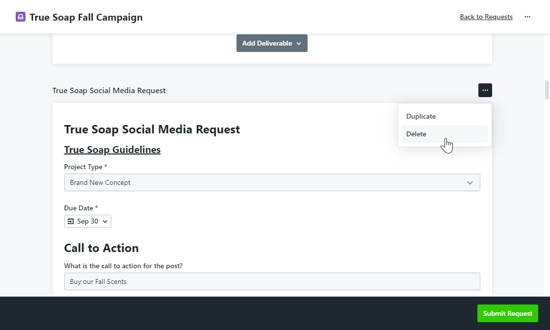
Save time requesting similar deliverables by clicking the actions menu in the top right corner of the deliverable form and selecting Duplicate. The duplicate form will be added to the bottom of the page and you can edit the details to fit your needs.
Once your request is complete, select Submit Request.
Removing a Deliverable from your Request
Remove a deliverable from your request by clicking the actions menu in the top right corner and select Delete.
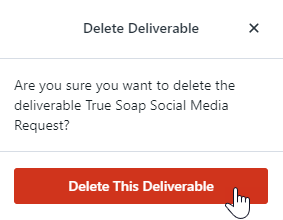
Select Delete This Deliverable to confirm.
Video Understanding Campaigns From Request To Creation