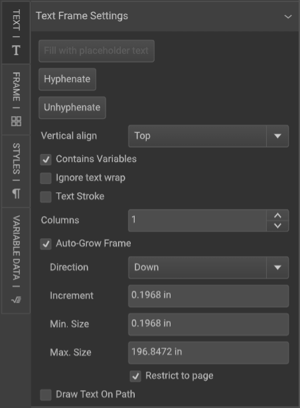
When designing templates, text and images may need to adjust dynamically based on content length. Without proper setup, text can overflow its frame or overlap other elements, disrupting the layout. This article covers two key features—Auto-Grow and Anchors—that help ensure text and images adjust seamlessly within a template.
• Auto-Grow: Expands a text frame dynamically when content exceeds its original size.
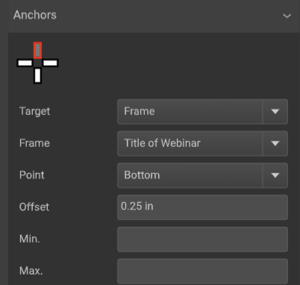
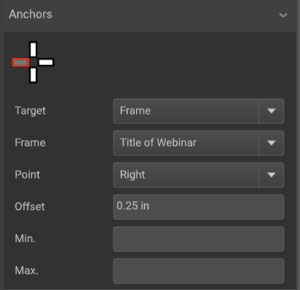
• Anchors: Link elements together so they adjust in relation to one another, preventing overlap.
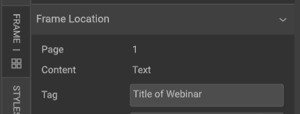
• Frame Tags: Used to name frames for easier reference when setting up anchors (distinct from tags in Workflow or DAM).
By using these features, you can maintain a clean, professional layout without manual resizing.
TABLE OF CONTENTS
• Enable Auto-Grow for Text Frames
• Name Frames with Tags for Easy Reference
• Set Up Anchors to Maintain Layout