Features described in this article are not included in all subscription plans. Interested in expanding your feature set? Contact the Lytho Support Team for further assistance.
Adding a Parent Calendar
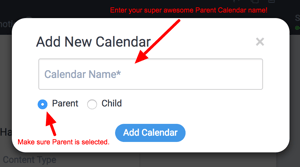
For enterprise accounts, if you are a Global Admin, when you click the Add New Calendar button, an overlay will appear. Give your calendar a name and select the Parent option. Then click the Add Calendar button.
Adding a Child Calendar
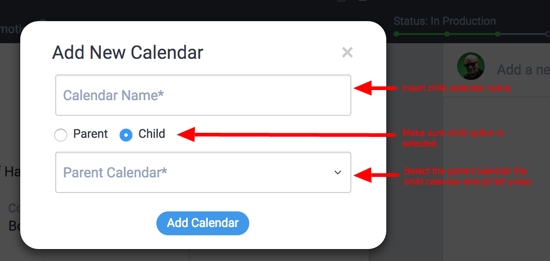
You’ll follow the same process to add a parent calendar, but you’ll select Child in the overlay/form. You’ll also be prompted to specify to which parent calendar this child calendar belongs.