
The Lytho Data Warehouse gives your team direct, read-only SQL access to your Lytho Workflow and Lytho DAM data. Use it to build reports in the BI tool you already run, join Lytho data with data from other systems, or answer questions that the built-in reports don't cover.
Features described in this article are not included in all subscription plans. Interested in expanding your feature set? Contact the Lytho Support Team for further assistance.
How it works
Lytho shares your data through a Snowflake reader account that Lytho provisions and manages for you. You sign in with the credentials we send you, or connect a BI tool or SQL client to the same account. Everything lives in one database, LYTHO_WAREHOUSE, in one schema, CUSTOMER. You see only your own organization's records, and you can't change anything in Lytho from the warehouse.
What's included
The CUSTOMER schema contains ready-to-query views, one per reporting subject:
- Lytho Workflow: 9 views covering campaigns, projects, project custom fields, work requests, tasks, proofs, reviews, time entries, and a combined work report.
- Lytho DAM: 14 views covering assets, files, collections, publications, style guides, tag taxonomy, asset activity, batch downloads, user access, storage usage, and four analytics summaries.
Each view is flat and already joined to the names and attributes you'd otherwise look up, so most questions are a single SELECT. Where you do need to combine views, they share ID columns (for example PROJECT_UID in Workflow or ASSET_ID in DAM). The Table information and Data mart diagrams pages show which views join on which keys.
How current is the data
- Lytho Workflow views reflect your account in real time.
- Lytho DAM views refresh nightly.
- Views show the current state of each record. They don't keep daily snapshots, so if you need trend history, capture it on your side by writing query results to your own storage on a schedule.
Common ways teams use it
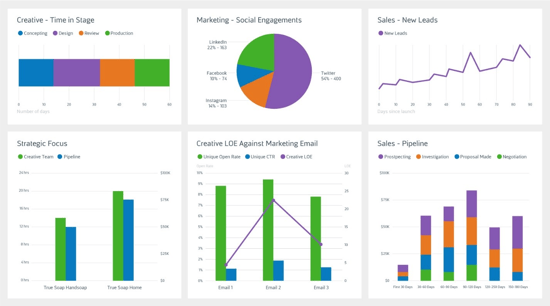
- Connect Power BI, Tableau, Domo, Looker, or another BI tool and build dashboards on Lytho data.
- Track on-time delivery, workload, and time spent by project, team, or campaign.
- Measure asset adoption: downloads, publications, and who has access to what.
- Join Lytho data with finance, CRM, or marketing data in your own warehouse.
Getting started
To ensure a successful implementation, please make sure you've identified:
1. An employee experienced with data analytics, data science, and/or SQL servers that can assist with setting up the initial configuration and support your warehouse needs
2. A business intelligence tool like Tableau or Microsoft BI that can be leveraged to easily display and configure your data
The Lytho Data Warehouse: Official Guide walks through signing in, connecting a BI tool, every view and column, and sample queries. Start there, then use Table information to find the view you need.